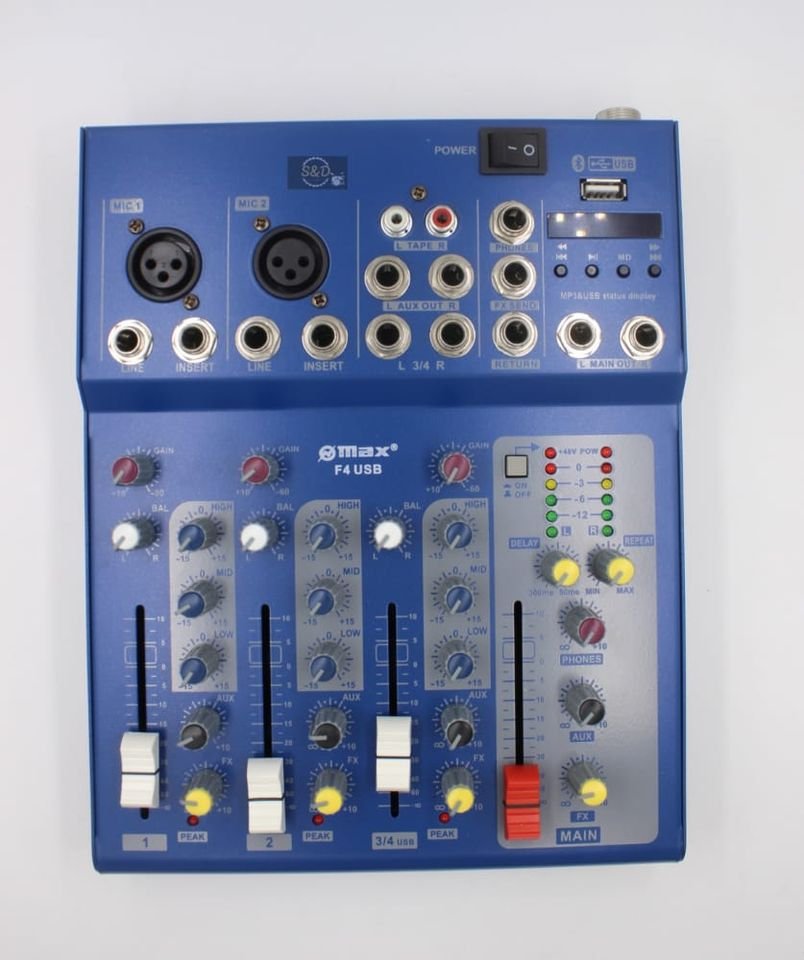
Omax
OMAX 4 CHANNELS PLAIN MIXER
Description
This is the OMAX 4 Channels Plain Mixer, a straightforward audio mixer for basic sound control. It’s the sort of mixer that might be used in a small church hall in Nairobi for spoken word or a modest PA setup at a local school assembly.
Specifications
- Brand: Omax
- Type: Audio Mixer
- Channels: 4
What an Audio Mixer needs around it
To get sound into and out of this mixer, you will need several other pieces of equipment. You’ll need microphones or other audio sources, which connect via XLR or jack cables. These cables will then run from your microphones or instruments to the input channels on the mixer. For the output, you'll need to connect the mixer to either a powered amplifier and passive speakers, or directly to active speakers. This allows the sound to be amplified and heard.
First setup
When you’re setting this mixer up for the first time, remember that it has 4 channels. This means you can connect up to four separate microphones or line-level sources at once. You will need XLR or jack cables to connect your microphones to the input sockets. From the main outputs of the mixer, you will connect to your amplification system. This could be a powered mixer, or a separate power amplifier, feeding into passive speakers. If you are using active speakers, the mixer connects directly to them.